

ATS Integration
Recruiting teams use Applicant Tracking Systems (ATS) to manage jobs, applications, and candidate pipelines. Skima AI connects directly with your ATS and adds an intelligence layer on top of your existing data.
Once integrated, candidate and job data is automatically available inside Skima AI for search, scoring, and screening. This allows you to work with your existing workflow while improving how candidates are evaluated and prioritised.
- No manual data entry. ATS data is pulled automatically
- Candidates are scored and ranked based on role fit
- Hiring workflows remain aligned with your existing system
- Supports 150+ ATS, CRM, and recruitment tools
1. Navigate to the Integrations Section
- Log in to Skima AI
- Navigate to the left-side menu
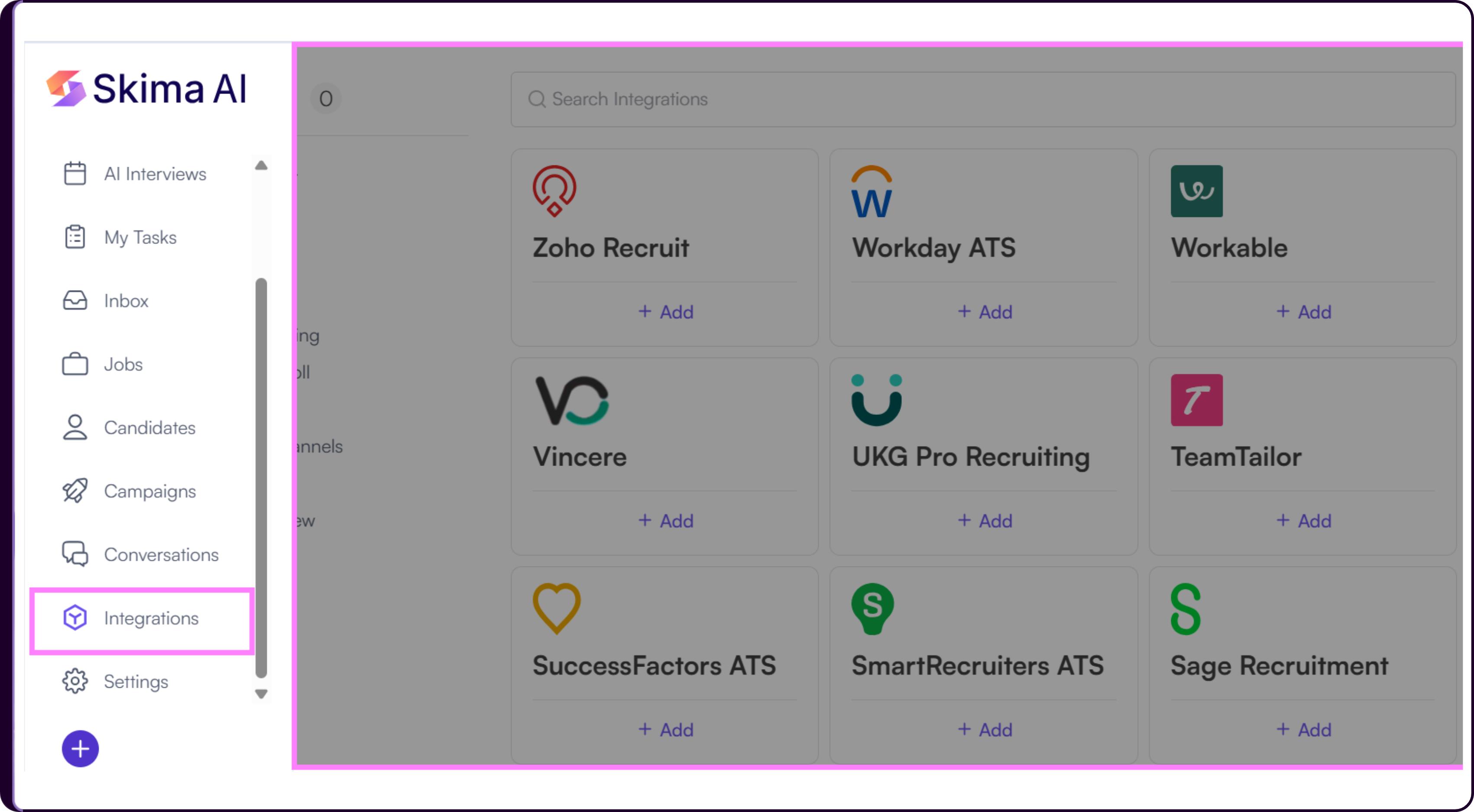
- Click on 'Integrations' to open the Integrations Dashboard
You will see a list of ATS platforms and other recruitment tools available for integration.
- If your ATS is not listed, scroll to the Request an Integration section and submit a request.
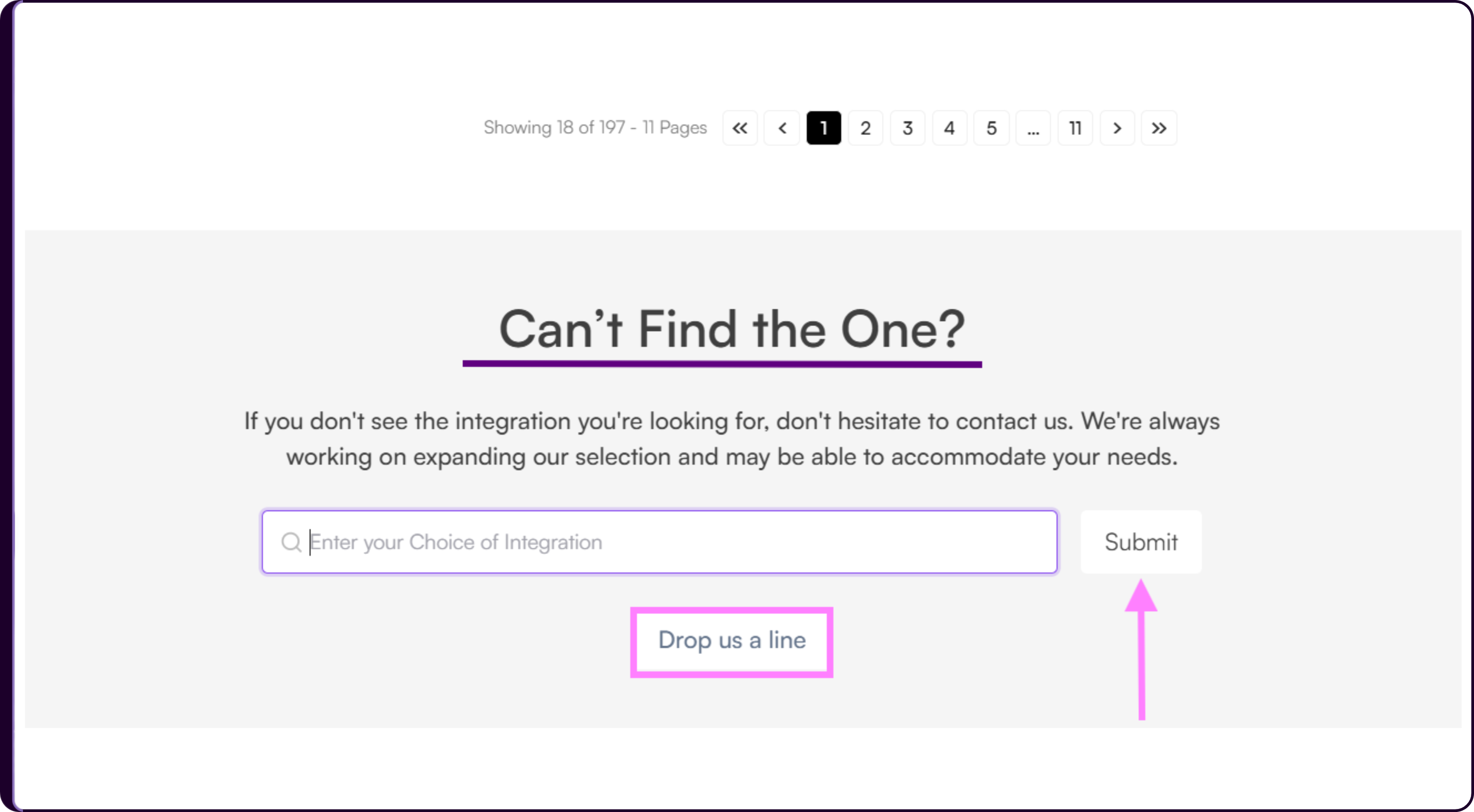
2. Find & Select Your Preferred ATS
Use the search bar at the top to find your ATS
Alternatively, browse through categories such as:
- Popular ATS (Greenhouse, Lever, Workday, etc.)
- CRM & Recruiting Tools
- HR & Payroll Systems
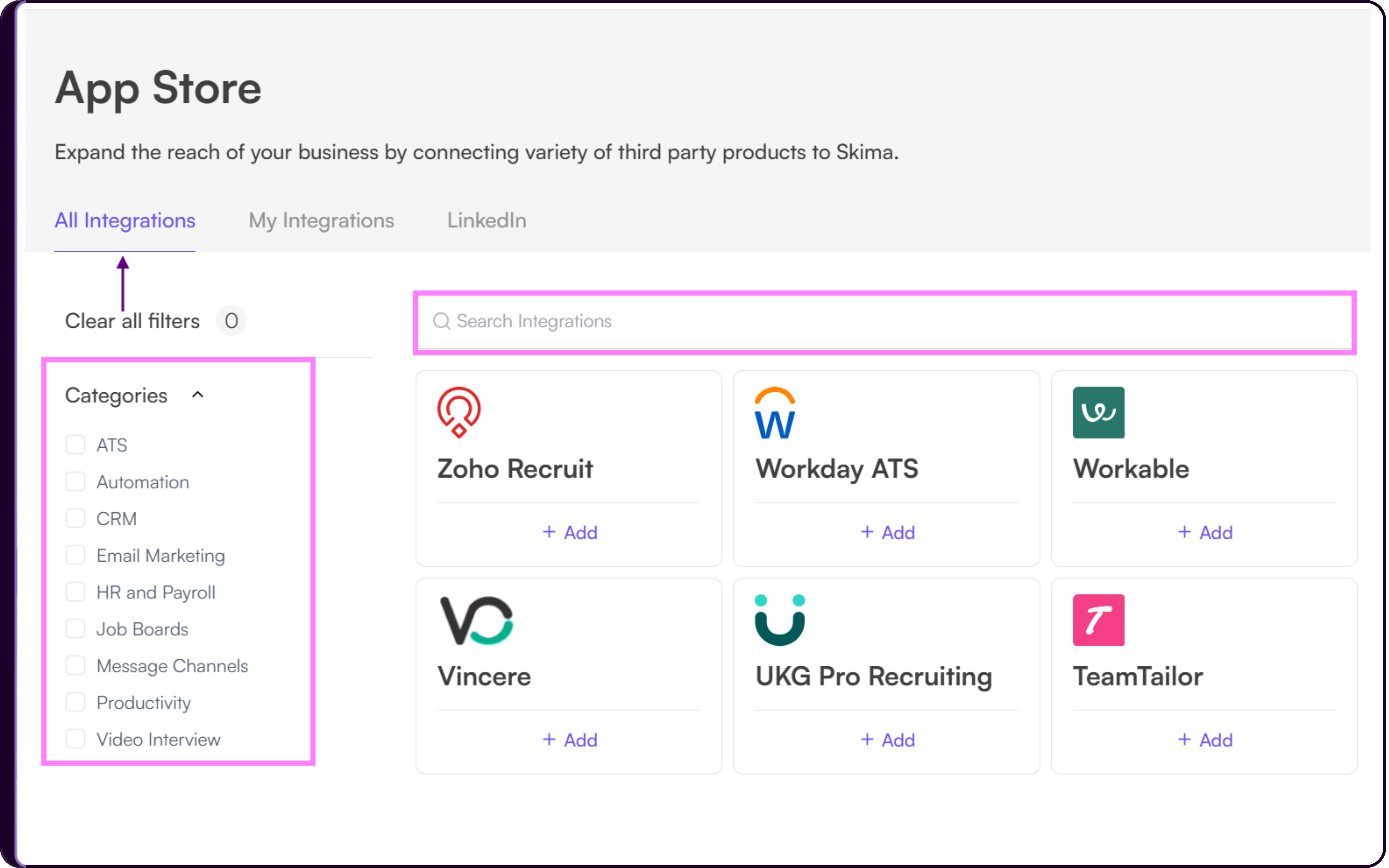
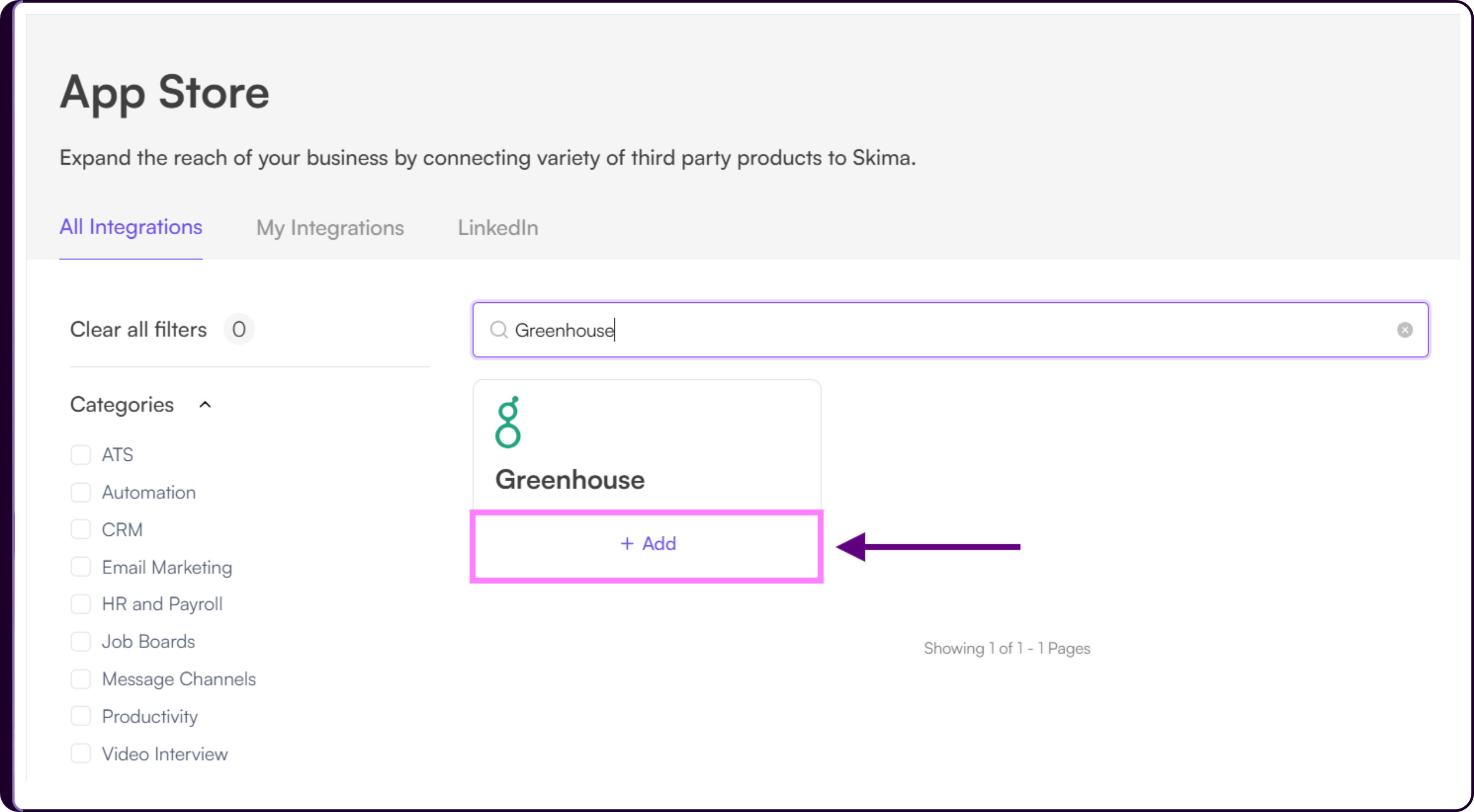
Once you find your ATS, click on '+ Add' to proceed.
3. Add Your ATS Integration
- Click on the '+ Add' button next to your selected ATS
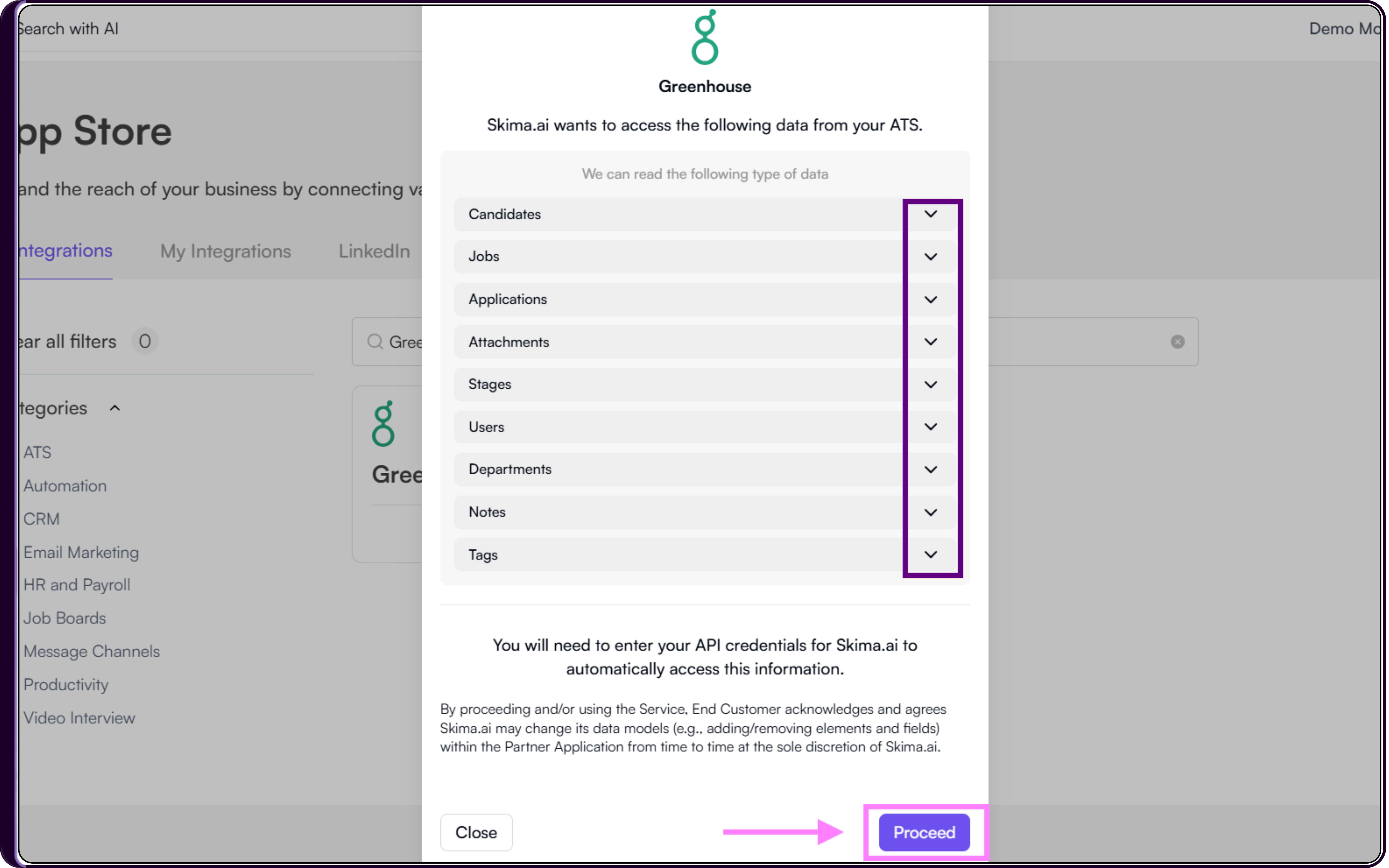
- A pop-up window will appear showing required permissions
- Review the access details
- Click 'Proceed' to continue.
4. Enter Your ATS Credentials
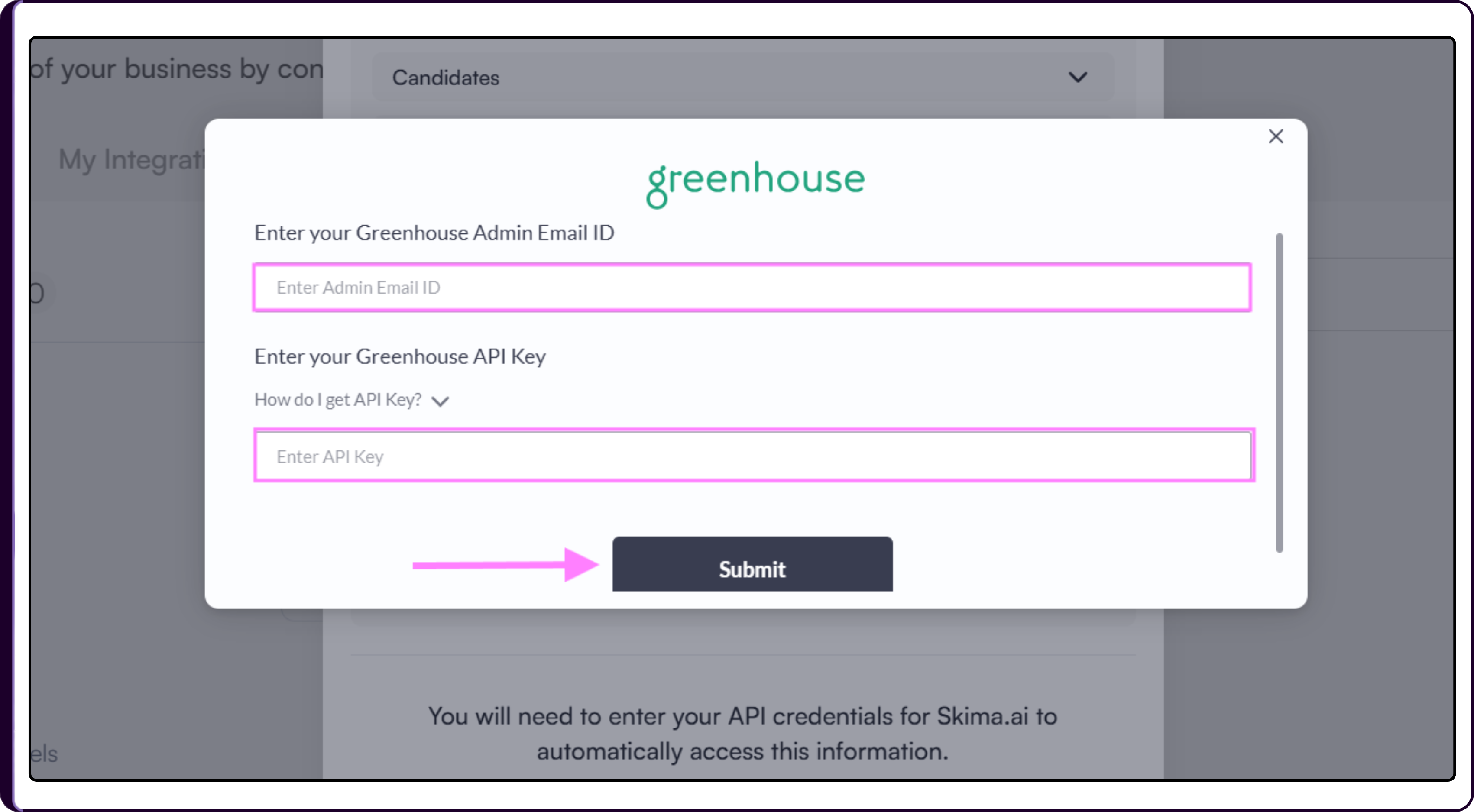
Enter the required credentials based on your ATS
- Username and password
- API key
- OAuth authentication
If OAuth is required, click 'Authorize'
Click 'Verify & Submit' to complete the integration
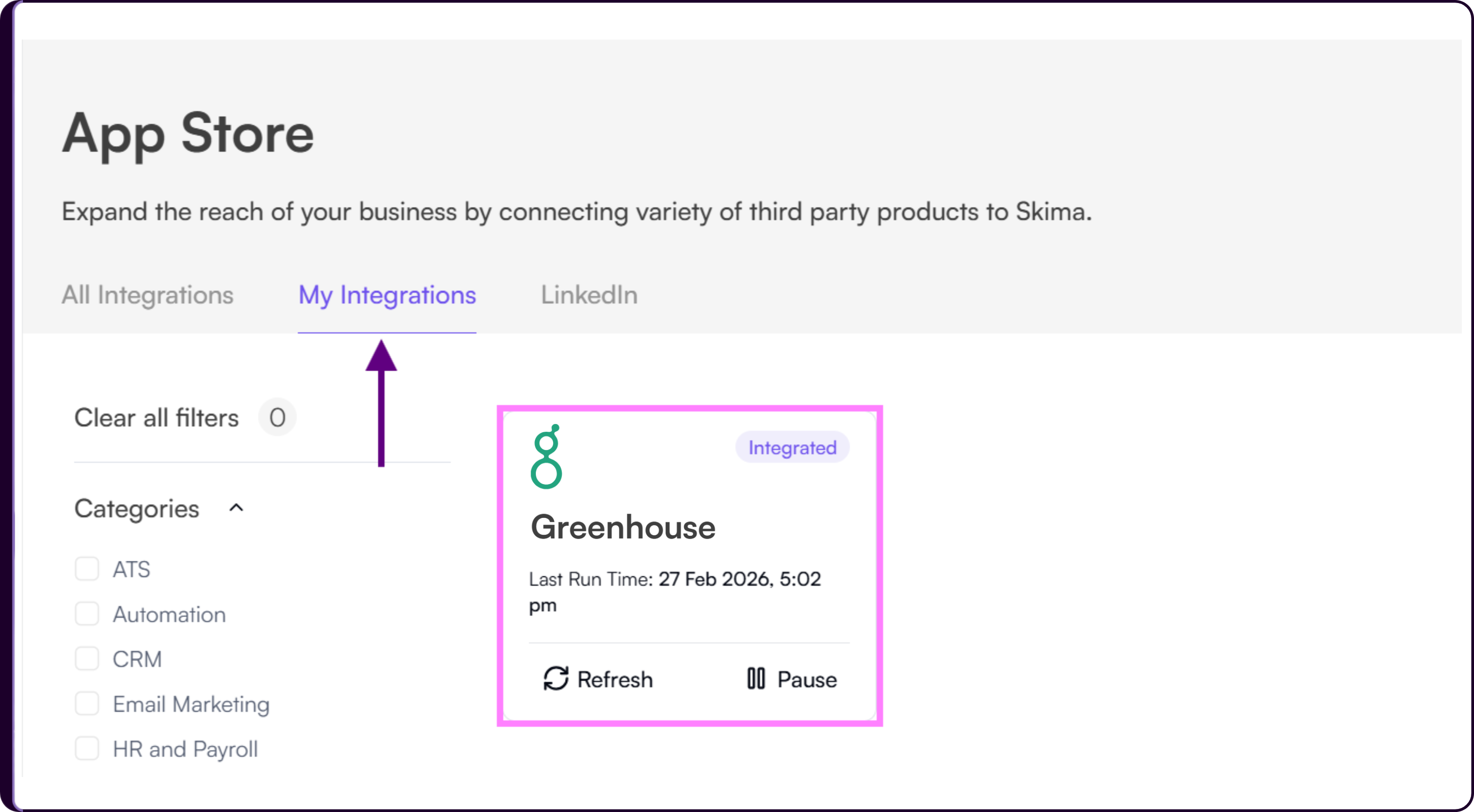
- Go to 'My Integrations' Tab to view your ATS sync status.
Manage Candidates & Take Action
Once the integration is complete, you can start working with your ATS data inside Skima AI.
i. View Screened Candidates
- Navigate to 'Jobs'
- Click on a job title
- Click on 'View Candidates'.
This opens a ranked list of applicants based on AI scoring.
ii. See AI Matching Score
- Identify the AI score shown against each candidate
- View the given Pros and Cons of the candidates
- Take decisions on the basis of skills evidence found
This opens a detailed breakdown of strengths and gaps.
iii. Take Candidate Actions
You can take actions directly from the candidate list:
- Shortlist or reject candidates
- Move candidates across hiring stages
- Send campaign messages or interview invites
This allows you to manage candidate evaluation without switching between systems.
Skima AI Chrome Extension
If you prefer working inside your ATS, you can use the Skima AI Chrome Extension.
The extension allows you to access Skima AI insights while viewing candidates or jobs inside your ATS, reducing the need to switch between platforms.
When to Use
- When your workflow is primarily inside the ATS
- When you want faster access to candidate insights
- When you want to reduce context switching between tools
Get Started
Start your ATS integration to begin working with your existing candidate data inside Skima AI. If you need assistance, reach out to the support team - support@skima.ai, for help with setup and configuration.